Until I am distinguished enough in my field to stick sarcasm and ridiculosity in my papers, it's going here.
Monday, September 8, 2014
Geophysical Gems
I know, I know, I know I still owe the last installment of my Matlab series. I do apologize, but grad school is happening again, as it does. I'll get to it eventually, I swear...
However, these two gems were just too good to pass up:
Gem #1: In my mining geophysics course today, we learned the proper definition of a geophysicist, as originally published in Northern Mining:
"A geophysicist is a person who passes as an exacting expert on the basis of being able to turn out with prolific fortitude infinite strings of incomprehensible formulae calculated with micrometric precision from inconclusive experiments carried out with instruments of problematic accuracy by persons of doubtful reliability and questionable mentality for the avowed purpose of annoying and confounding a hopeless chimerical group of fanatics known as geologists who are themselves the lunatic fringe surrounding the hard-working mine operator."
Accurate, every word of it. Although I am a little disappointed that I don't get to be "chimerical".
Gem #2: I also ran across the following when clearing my desktop of approximately 5 years worth of clutter. I cannot attest confidently to its provenance, only to say it smacks strongly of a certain Male Parental Unit of mine....
"And lo for he who praises the Lord shall receive unto him proportional understanding of the mass which lay below his feet. And God spoke "Let the firmament have a multitude of kinds and shall each hill and valley be corrected as free-air, " and He saw it and it was Bouguer."
And now, if you'll excuse me, I have some lightening bolts to dodge.
Sunday, July 27, 2014
Marvelous Matlab Must-haves: Part 2
A continuation of my Matlab series from what, gasp, only two weeks ago? I'm setting up some really unrealistic standards for myself here, mostly because I've been copy-pasting from the original partially-written big long ginormous* post and lightly editing from there. So when I hit the 1.5 month gap between posts, you'll know I reached the point of actually having to write something. The horror.
*Fun fact - "ginormous" is apparently a valid word in Google's spell-check
In keeping with the theme of the first post of this series, these are all stupid little things that are not particularly artful or earth-shattering, but they are dang useful tool/concepts that really helped me to be a lot more productive once I understood them. So here's hoping this also helps you!
To read Part 1 of this series in which I covered the joys of Google and debugger, go here. To read the currently non-existent next post, don't go here.
And now.....
Functions and Scripts and Cell Scripts, oh my!
Functions:
Stuff in, stuff out. Basically a make-your-own version of Matlab's functions (think "plot","mean", etc.). You feed in variables, crunching happens, and it plots what you tell it to plot and spits out what you tell it to spit out*. The thing I like about functions is that they don't spit out all the intermediary variables into your nice clean workspace. So if you've got some calculation that requires 17 steps, you only have to deal with step 1 and step 17. It's also possible to stick your custom functions inside other functions, thus giving you 9 or 17 or 200 less lines of code to sift through.
*And therein lies the danger of coding, because computers are like extremely literal-minded 4-year-olds with access to ALL your data. They follow instructions VERY well.
Of course the catch is that if something goes wrong in the middle, you don't see it. Which is why we need debugger! And because it can sometimes be obnoxious to have to run functions over and over and over again to get them right, I'll sometimes work out algorithms first in a....
Script:
Stuff in, stuff happens and all of it (variables, plots, etc.) gets kept. Basically it's a faster way of executing a whole bunch of commands in the workspace (the place next to the >> symbol where you generally enter single commands). For this reason I like using scripts to record how I made figures*, especially if they're finicky one of a kind figures. I can keep track of what data I used and exactly how I plotted it, so if I lose the image file or need to alter something, I don't have to start from scratch.
*Grad students! THIS IS IMPORTANT!!! LEARN FROM MY MISTAKES!!!
In the same vein, scripts are incredibly useful for batch-importing data, or basically any task where it's a pain to do the steps one at a time in the command line, but you're likely not going to do it again so it's not worth the effort to create a slick function.
Run the whole script by either pressing the green "play" button at the top, or by typing the name of the script file in the command line and pressing Enter.
Cell Scripts:
Like a script but with structure. You can split a script into cells by putting "%%" in a line between cell blocks. You can then run the script a cell at a time by placing your cursor inside the cell and hitting Enter to run the cell or hitting ctrl+Enter to run the cell and then advance to the next one. Cell scripts are mostly useful for keeping an unruly script organized, or for situations where you're going to want to execute part of a script several times (say for adjusting parameters on a figure). HOWEVER, you can't use debugger in cell mode (at least I think you can't), which is annoying.
Command history
Another sanity saving tool. Too lazy to keep hitting up in the command line to get that previous command back? Just go find it in command history, and double click to execute or copy-paste it in the command line if you want to alter something.
I also find this highly useful for building scripts and functions, and just keeping track of what I've been doing. When I'm processing data at work, I'll typically keep a chart going with fields for variable, the exact command I used to create that variable, and comments on the outcome*.
*i.e. Wow. According to this gravity meter the world clearly just exploded.
If you're not being good and keeping track in a handy chart, you can also word-search the command line to try to find just what exactly you did to create that graph two months ago! Unfortunately, it only goes back so far, so better to keep a chart/script going...
Save
Save the workspace! SAVE THE WORKSPACE!!* Preferably BEFORE you accidentally close Matlab after wrangling that data set for three hours. Instructions here. This is incredibly useful if you ever have to go back and look at old data, or heaven forbid reprocess it.
*Bonus points if you figured out this is what I was referencing. I hope from now on ALL of you read anything beginning with "save the" in Julia Child's voice.
*Fun fact - "ginormous" is apparently a valid word in Google's spell-check
In keeping with the theme of the first post of this series, these are all stupid little things that are not particularly artful or earth-shattering, but they are dang useful tool/concepts that really helped me to be a lot more productive once I understood them. So here's hoping this also helps you!
To read Part 1 of this series in which I covered the joys of Google and debugger, go here. To read the currently non-existent next post, don't go here.
And now.....
Functions and Scripts and Cell Scripts, oh my!
| You were expecting the Wizard of Oz, weren't you? Life is full of dissapointments, isn't it? On the other hand, you may enjoy reading about the Venezuelan Trench Moose. |
Functions:
Stuff in, stuff out. Basically a make-your-own version of Matlab's functions (think "plot","mean", etc.). You feed in variables, crunching happens, and it plots what you tell it to plot and spits out what you tell it to spit out*. The thing I like about functions is that they don't spit out all the intermediary variables into your nice clean workspace. So if you've got some calculation that requires 17 steps, you only have to deal with step 1 and step 17. It's also possible to stick your custom functions inside other functions, thus giving you 9 or 17 or 200 less lines of code to sift through.
*And therein lies the danger of coding, because computers are like extremely literal-minded 4-year-olds with access to ALL your data. They follow instructions VERY well.
Of course the catch is that if something goes wrong in the middle, you don't see it. Which is why we need debugger! And because it can sometimes be obnoxious to have to run functions over and over and over again to get them right, I'll sometimes work out algorithms first in a....
Script:
Stuff in, stuff happens and all of it (variables, plots, etc.) gets kept. Basically it's a faster way of executing a whole bunch of commands in the workspace (the place next to the >> symbol where you generally enter single commands). For this reason I like using scripts to record how I made figures*, especially if they're finicky one of a kind figures. I can keep track of what data I used and exactly how I plotted it, so if I lose the image file or need to alter something, I don't have to start from scratch.
*Grad students! THIS IS IMPORTANT!!! LEARN FROM MY MISTAKES!!!
In the same vein, scripts are incredibly useful for batch-importing data, or basically any task where it's a pain to do the steps one at a time in the command line, but you're likely not going to do it again so it's not worth the effort to create a slick function.
Run the whole script by either pressing the green "play" button at the top, or by typing the name of the script file in the command line and pressing Enter.
Cell Scripts:
Like a script but with structure. You can split a script into cells by putting "%%" in a line between cell blocks. You can then run the script a cell at a time by placing your cursor inside the cell and hitting Enter to run the cell or hitting ctrl+Enter to run the cell and then advance to the next one. Cell scripts are mostly useful for keeping an unruly script organized, or for situations where you're going to want to execute part of a script several times (say for adjusting parameters on a figure). HOWEVER, you can't use debugger in cell mode (at least I think you can't), which is annoying.
Command history
Another sanity saving tool. Too lazy to keep hitting up in the command line to get that previous command back? Just go find it in command history, and double click to execute or copy-paste it in the command line if you want to alter something.
I also find this highly useful for building scripts and functions, and just keeping track of what I've been doing. When I'm processing data at work, I'll typically keep a chart going with fields for variable, the exact command I used to create that variable, and comments on the outcome*.
*i.e. Wow. According to this gravity meter the world clearly just exploded.
If you're not being good and keeping track in a handy chart, you can also word-search the command line to try to find just what exactly you did to create that graph two months ago! Unfortunately, it only goes back so far, so better to keep a chart/script going...
Save
Save the workspace! SAVE THE WORKSPACE!!* Preferably BEFORE you accidentally close Matlab after wrangling that data set for three hours. Instructions here. This is incredibly useful if you ever have to go back and look at old data, or heaven forbid reprocess it.
*Bonus points if you figured out this is what I was referencing. I hope from now on ALL of you read anything beginning with "save the" in Julia Child's voice.
Next up: Plot editor, the File Exchange, and Concatenation
Sunday, July 13, 2014
Marvelous Matlab Must-haves: Part 1
I do believe at some point I may have promised a post on the joys of Matlab. Well, that long awaited promise shall now come to fruition. I have assembled, in no particular order or completeness, a jumble of some features and functions of Matlab that have proved of immense use to me in avoiding baldness when using the glorious program.
I initially planned to make this all one blog post, and then realized a) it was going to be a really long post that might never get published and b) if I split it up I could make it look like I was all prolific and stuff. SO. Part 1 of the series!
If you have used Matlab extensively, many of these will no doubt be old hat to you, but if you're just learning and are fearing for the fate of your remaining cranial covering, I hope this post (and those to come) will be of some aid to your beleaguered follicles!
Google
Perhaps a bit of an obvious one, but I include this because, just in case you needed to hear it, yes, it is okay to search the interwebs for ideas/help, and no, it does not mean you suck at programming and will never get it. Google searching "Matlab how to do xyz" is a surprisingly excellent way to figure stuff out. About 9 times out of 10, someone has already asked the same question, someone's written a function on File Exchange (more on that later), or there's a built-in function in Matlab, because Matlab is awesome. The other 10% of the time you can usually get a partial answer, or at least something that will get you on the right track to the correct question.
Debugger
Learn how to use Matlab's debugger! Seriously! You can use the debugger in both functions and scripts (but not cell scripts). (I'll be explaining the differences between functions, scripts, and cell scripts in a later post)
The most basic way to use debugger is to tell Matlab to enter debug mode when it hits an error. This is instead of Matlab hitting an error and making that annoying "ting!" sound and throwing up red script with some highly technical error message that tells you nothing because you've been booted out of the function that has the variable that caused the error, but now you can't LOOK at that error because you've been booted out of the function.
But if you stop in debugger, all is well! The variable is there, in all its empty array glory. *sigh*.
You can get to this most useful of features by going to the "debug" menu in the editor window (the window where you write functions and scripts), and selecting "stop if error".
If your code isn't dying because of errors but is throwing up completely nonsensical data, you can also insert what are called "breakpoints" so that the function/script will stop in debugger at that point so that you can look at all the variables and make sure they're what you thought they were!* To insert a breakpoint, click on the little line next to the line of code where you want the function/script to stop, and a little red circle will appear. The function/script will execute everything up until that line, and then stop. At this point you can discover that your squid variable is 10 times larger than it needs to be, turning your moose variable into the dreaded "NaN". Or some such.
*Spolier alert - they're NEVER what you thought they were. Ever.
You can also make a conditional breakpoint by right clicking the line and selecting "Set/Modify Condition" (you'll get a yellow circle). This is often useful for loops, where for instance you know everything is just dandy up until i = 10 (out of 23523430 iterations) at which point all hell breaks loose and demons infest your variables and you can't remember how to properly call the Matlab "exorcise" function*. In that case you'd set your conditional breakpoint to stop on that line when i==10, and figure out just what the heck is going on!
*Because I haven't written it yet.
Next up: Functions, Cell Scripts, and Scripts, oh my!
(....sorry.....)
Stay tuned for more to come, at no particular scheduled time in the hopefully not-too-distant future!
| Computer programming is perhaps best done by those with fast-growing thick hair. |
I initially planned to make this all one blog post, and then realized a) it was going to be a really long post that might never get published and b) if I split it up I could make it look like I was all prolific and stuff. SO. Part 1 of the series!
If you have used Matlab extensively, many of these will no doubt be old hat to you, but if you're just learning and are fearing for the fate of your remaining cranial covering, I hope this post (and those to come) will be of some aid to your beleaguered follicles!
Perhaps a bit of an obvious one, but I include this because, just in case you needed to hear it, yes, it is okay to search the interwebs for ideas/help, and no, it does not mean you suck at programming and will never get it. Google searching "Matlab how to do xyz" is a surprisingly excellent way to figure stuff out. About 9 times out of 10, someone has already asked the same question, someone's written a function on File Exchange (more on that later), or there's a built-in function in Matlab, because Matlab is awesome. The other 10% of the time you can usually get a partial answer, or at least something that will get you on the right track to the correct question.
Debugger
Learn how to use Matlab's debugger! Seriously! You can use the debugger in both functions and scripts (but not cell scripts). (I'll be explaining the differences between functions, scripts, and cell scripts in a later post)
The most basic way to use debugger is to tell Matlab to enter debug mode when it hits an error. This is instead of Matlab hitting an error and making that annoying "ting!" sound and throwing up red script with some highly technical error message that tells you nothing because you've been booted out of the function that has the variable that caused the error, but now you can't LOOK at that error because you've been booted out of the function.
But if you stop in debugger, all is well! The variable is there, in all its empty array glory. *sigh*.
You can get to this most useful of features by going to the "debug" menu in the editor window (the window where you write functions and scripts), and selecting "stop if error".
If your code isn't dying because of errors but is throwing up completely nonsensical data, you can also insert what are called "breakpoints" so that the function/script will stop in debugger at that point so that you can look at all the variables and make sure they're what you thought they were!* To insert a breakpoint, click on the little line next to the line of code where you want the function/script to stop, and a little red circle will appear. The function/script will execute everything up until that line, and then stop. At this point you can discover that your squid variable is 10 times larger than it needs to be, turning your moose variable into the dreaded "NaN". Or some such.
*Spolier alert - they're NEVER what you thought they were. Ever.
You can also make a conditional breakpoint by right clicking the line and selecting "Set/Modify Condition" (you'll get a yellow circle). This is often useful for loops, where for instance you know everything is just dandy up until i = 10 (out of 23523430 iterations) at which point all hell breaks loose and demons infest your variables and you can't remember how to properly call the Matlab "exorcise" function*. In that case you'd set your conditional breakpoint to stop on that line when i==10, and figure out just what the heck is going on!
*Because I haven't written it yet.
Next up: Functions, Cell Scripts, and Scripts, oh my!
(....sorry.....)
Stay tuned for more to come, at no particular scheduled time in the hopefully not-too-distant future!
Saturday, May 31, 2014
Office Update #√(π/17)
Because I believe in including ALL the numbers.
Public Service Announcement:
This
≠
This
Dear any owners of gravity meters who are planning on sending in data to my company, asking if their meter is working,
Please, do not, by any means, tell me where your meter is located. This will not at all aid me in determining if that weird signal you saw is real or a sign of busted meter-itis. It will certainly not help me to avoid developing a whole erroneous theory to explain said signal involving heavy flooding in a European country. And most certainly do NOT, when I present this whole theory to you, which is the best I could come up with given the data, and even though this theory necessitates the somewhat troubling appearance of 7 m of water a scant 12 hours after the onset of the beginning of rain to explain the magnitude of the gravity signal, do NOT, I repeat, DO NOT, take this opportunity to explain that this theory makes absolutely no sense because your meter is not, in fact, somewhere in the European countryside, but is, in fact, ON A VOLCANO IN THE MIDDLE OF THE PACIFIC OCEAN. This information will in no way prevent me from tearing my hair out trying to figure out why I keep getting residual tide signals in the data, because this is in no way relevant to the fact that the meter is located ON A VOLCANO IN THE MIDDLE OF THE PACIFIC OCEAN.
In conclusion, please, I beg of you, do your utmost to send me chasing after completely incorrect theories for about a month by withholding this one piece of completely non-critical, trivial information.
Yours sincerely,
The recently bald geophysicist
Friday, May 16, 2014
Derivations from Deliberate Dancing Deviations
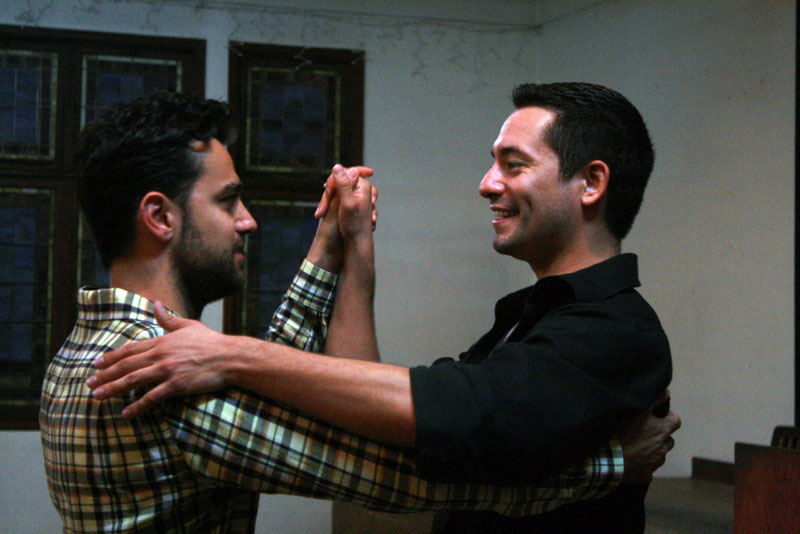
| Google images also does not believe that women can lead in social dance. However, men can apparently follow - in case you're interested, here's the article that goes along with it - it made me smile. |
So I am very glad that I am not, in fact, a professional columnist, or that my capability to acquire edible food is in any way tied to the frequency of posts on this blog, else I'd be a might bit peckish at the current time. In my defense, April happened. Everything happens in April. This is what April is for, apparently.
So, if you have perchance read any of my other posts* or you know me personally** you most likely know that dancing is one of my critical needs for mental survival. At the moment, this need is primarily filled by salsa and contra dancing. And I really must highly recommend the dancing community in Boulder, because unlike many experiences I've had in the salsa dancing scene in Vancouver, I actually still have yet to encounter the Token Creepy Guy at the Boulder salsa dance, which I count as nothing short of miraculous, frankly.
*There's all of, what, nine of them currently, it's not too hard....
**Highly likely, as I rather doubt anyone beyond my Facebook-verse encounters these posts, which is...really, okay.
The dancing environment is so good, in fact, and the lessons beforehand so cheap, that I've felt comfortable enough to take the leap and start learning to dance lead*. Aside from the initial kerfluffle of explaining to several very courteous men that thank you, I'm dancing lead for the lesson, and feeling just a twinge guilty about dancing lead when there was a shortage of follows, things weren't actually all that awkward.
*Whilst wearing a cute skirt, naturally.
The only aspect that bugged me, at first a little, and later, a lot, was the comments I kept receiving from my follows (all female):
"Oh, you're dancing lead! I'm so impressed, I could never do that!"
"Oh, that must be so difficult."
"You're doing what I could never do!"
At first, these comments made me feel flattered and proud. They approved of me dancing lead! They admired that I was taking on something difficult! But that inevitable follow-up comment, "I could never do that," just kept bugging me.
It finally dawned on me why - why did all these women think they couldn't do it? I mean, goodness, I've danced with enough struggling male beginner leads to know that they certainly find leading difficult at first. And good following, in my opinion, isn't necessarily easier. It may be easier to pick up in the beginning, but to really follow well requires a considerable practiced ability to listen and understand a myriad of subtle non-verbal cues, that are all going to be different from person to person. So why are all these women so very convinced that they lack the capability to lead?
I keep reading articles expounding on a common theme, that women don't advance, particularly in STEM fields, because they aren't confident, because they're socialized to think that if they struggle with something, it means they're too stupid to understand it and therefore they'll never get it. I don't think I really believed that idea, until I realized I was most likely witnessing some of that very aversion to struggling in my salsa class. And it made me just a tad annoyed. Annoyed, because I know it doesn't have to be this way.
The whole idea that women apparently keep getting this message that if they struggle with something, it means they're innately incapable of doing it, makes me fume just a bit because it is just so alien to my own experience. I mean, people keep telling me I'm "smart", but I've encountered really smart people, and personally I don't think I'm one of them. Okay, maybe I'm a little quicker on the uptake sometimes in some areas.* But really, I think the reason I seem smart is that I can be dang stubborn, and I've always been taught to be that way. My parents rarely if ever let me give up because it was hard, although I'm sure there were times they would liked to for the sake of our collective sanity.
*As long as it's not a pop culture reference. I make a bad trivia team member.
And if I continue along that thread this post will turn into "blah blah, BACK IN MY DAY, blah blah". I could go on all day about this or that thing that programmed me to not give up in the face of something hard, and end up trivializing the struggles of all the girls in trigonometry or physics or [insert hellishly hard STEM class here], which I don't want to do, because, yes, they are hard. Even with all the things I had going in my favor, they were really hard for me. And no, you may not get some of it, or a lot of it, the first time round. Or the second. Or maybe even the third. But, I've learned recently, rather to my surprise, it doesn't mean you can't.
I've been finding this to be true more and more in my current job, and this is one of the aspects of my work I think I most enjoy. Okay, does anyone out there remember Taylor series? .....I hear crickets. Anyway, it's this thing where you take a derivative of a function and multiply it by the value of that function at 0, or whatever, and then you make a series out of all these second and third and so on derivatives, and I really don't remember the exact definition and I'm feeling too lazy to look them up and it would be in math-speak anyway. For a long time I knew them as these things I learned at the very end of calculus, and they were tedious, and they were hard, and I had no concept of any use for them. They certainly weren't something I really understood. I mean, I think I passed the tests, but I'm also pretty sure the knowledge only stuck around just as long as it needed to, for survival purposes.
So, enter my job now. Erm, I'm going to struggle explaining this a bit, but basically when you measure gravity, the gravity meter has to be level, so you're consistently measuring the vertical force of gravity. Since we do not live in an ideal world, the meter isn't always going to be level, so you track how off-level the meter is and correct for it. Well, there are these constants you have to set that determine how the computer translates the electrical signal from the levels into a signal than actually means something in terms of angles, rather than volts. If these constants are off, the angles the sensors spit out aren't correct, and the tilt of the meter isn't being corrected for properly, and you see a corresponding signal in gravity vs. time, which we want to be flat (because gravity at one location isn't actually supposed to change*). The way to remove this pesky extra signal is to tweak those constants.
*Unless VOLCANOES.
And this is where Taylor comes in*. See, these constants for converting electrical signal to actually useful data signal are wrapped up in this nice nasty formula involving multiple trig functions**, which mean you can't just take the level data the meter spits out, multiply it by a number, and yay, you're done. No, you have to multiply the level data by a number and then take the COSINE! And then MULTIPLY the cosines! And subtract THAT from something ELSE! All of which makes it an absolute nightmare to figure out what these special constants should be after the fact. And this is where Taylor series come in - you can make a Taylor series of this nasty trig expression, and the resulting Taylor-ized expression IS something you can easily just multiply constants by and poof, no more tilt signal!
*And you thought I had totally gone off on a tangent. You were almost right...
**Regardless of how I feel about Taylor series and least squares now, I STILL hate trig.
You still with me? Okay, I think there may be at least three of you who haven't run off screaming in horror. Anyway, the point of all that was, a) Taylor series turned out to be kind of cool and actually useful and b) I didn't really understand Taylor series in my math class years ago, but I was, in fact, able to dust off what remnants of that knowledge I had left, and use it to make a hard problem actually doable, for a practical purpose. And there's all sorts of other math examples like that I'm finding - things like least squares, FFTs, various aspects of matrix manipulation, and so on. Things that, despite my earlier encounters, I find I can understand after all, and better yet, can apply to do some cool stuff. I'm actually finding I like math, and although I've never felt I was bad at math, I never used to feel like I was good at math or that I liked it. Honestly, I still don't feel like I'm good at math. BUT, I can use it, and that's really all I need.
So I want to send out some encouragement to all the women and girls out there struggling with science or math - no, you don't have to get it all right right now. Enough to pass the class is probably helpful, enough to understand the science, also good. But you don't have to get it perfect, you don't have to be that kid who knows out to 100 digits of pi*. This isn't your last chance. You will get many more chances to bang your head against a wall with this stuff, and eventually, most of it will get through. Or at least, enough to makes some pretty graphs of properly corrected gravity data**!
*Something tells me at least three of my friends are that kid.
**Because all of you are going to go into gravity geophysics, right???
So, back to dance - I think it also dismayed me so much that all my follows found it intimidating to lead because I think I developed the guts to attack math – and, by extension, leading – from following in salsa dance. There's something about following, at least for me, that grows a kind of gutsiness. The kind of gutsiness from knowing that, although I have no idea what this lead's going to throw at me, I'm going to try my best to follow it, and if I end up flat on my face, well, at least I've got a great story for later, and will have probably learned a thing or two. And the overwhelming majority of the time, I end up doing things I didn't think I could do. Like, for instance, gracefully handling getting flipped upside down. That was fun. And, for me, after being challenged like this over and over, and still (rarely) falling flat on my face, it's not really so big a leap to make the jump to lead.
So, yes, it's hard, yes, there's that annoying kid who gets everything in three seconds - but you can do it. If not now, the next time, or the next, or the next. But I promise you, it is possible. Embrace the fight – it doesn't mean you're weak, it's just what you have to do to learn something new and potentially awesome. If you find yourself thinking, "I can't do this" – do it anyway. You might just surprise yourself.
That post got a bit mathy/sciencey, so I most whole-heartedly welcome your stupid questions, because they are my very favorite kind.
Monday, April 14, 2014
Alone
In the past few years, I've read stories from many other women in the sciences, little bits and pieces of their experiences that I've learned from, taken heart from. Part of the reason I wanted to starting writing is that I wanted to share my story, so that I might help some other woman of science in the same way I've been helped.
I also want to be honest. And I feel like I wouldn't be telling my story honestly if I didn't write about the bad experiences with the good. And right now, I'm finding it hard to be my normal cheery self.
I don't want to be an angry feminist. I don't want to be mopey and depressing. I would much rather be a hoorah cheerleader for LOVING my science. But dang it, this week... I'm tired.
I'm tired of being the only female in my office.
I am tired of not fitting in because I'm not a tomboy and I don't mountain bike or climb or ski.
I'm tired of being unable to participate in conversations about cars.
I'm tired of only being able to drink one beer if I want the slightest chance of being able to function after.
I'm tired of the whole office clearing out for lunch, and no one thinking to so much as pop their head in my office to let me know, before I raise my head from my work to suddenly notice how quiet the office is, and how empty the lunch room is.
I am tired of dealing with a capricious boss who will sing my praises as a genius one day and effectively call me an idiot to my face the next.
I am tired of seeing every person who comes in for a job interview be male.
I am tired of torturing myself wondering if this new (male) geophysicist they hired, who has a bachelor's degree to my master's, is making more money than me and will eventually replace me before I had planned to leave.
I'm tired of being the one who doesn't quite fit, and of the treacherous fantasy that whispers that if I just changed the way I dress, researched cars, learned to mountain bike, then, then I'd have my in.
I'm tired of the nagging fear, thinking on how many female geophysicists I know who are my age (maybe two?), that this environment I encounter now will be the only environment I will ever know in my career.
I know in many ways I've got it crazy easy. No one is sexually harassing me, no one is questioning my right to be there, and I do happen to like the work I'm doing – a lot. But all these constant reminders of how I don't fit and how precarious my position is in this world.... that drags on a person.
Thankfully, there's a light at the end of this tunnel. I'm getting out. I know for sure now I'm starting my PhD in the fall. I know there's at least one other female in my research group, and from what accounts I've heard thus far my future adviser is one of the nicest in the department. I can have some hope that my life past the PhD would be different than my situation now, as I'm currently in the strange situation of a geophysicist working in what is effectively an engineering company. In reality, I have yet to experience what working at a true geophysics company would be like, so I'm holding out the hope that working with geophysicists might be better than working with engineers (or at least these engineers). I have to hope in the power of statistics – that my sample size of one is not statistically representative!
I find that my awareness of my situation as a female in a STEM field is something of a double-edged sword. On the one hand, I am that much more aware of the negatives I face. The gender disparity in my workplace and all it creates is all the more vivid for my awareness. On the other hand – I can see around the negatives, I can know it's not just me. This situation doesn't have to be "just the way it is". Maybe I can't make it better, for myself, right now, but I can hope that in some small way I can make it better for the next female engineer or geophysicist or technician who walks through the doors. I'm here. I'm not going away. I'm damn good at what I do.
And yes, I am wearing pink.
Friday, March 14, 2014
Office Update #395.23: Four reasons it's probably a good thing I don't have an office mate right now
I have arbitrarily decided, as the benevolent dictator of this blog, that Office Updates and Fails are exempt from the alliteration rule. Accidental alliteration is acceptable.
Of course, part of me is secretly looking forward to seeing the look on my unsuspecting coworker's face when they find out what I'm also doing when I analyze their data....
- Balkan music boogie-ing
- Incessant mumbling whilst coding
- High frequency of data-related moaning
- Reduced likelihood of chocolate or favorite pen theft
- Spontaneous air fist-pumps over successful code
Of course, part of me is secretly looking forward to seeing the look on my unsuspecting coworker's face when they find out what I'm also doing when I analyze their data....
Subscribe to:
Posts (Atom)